

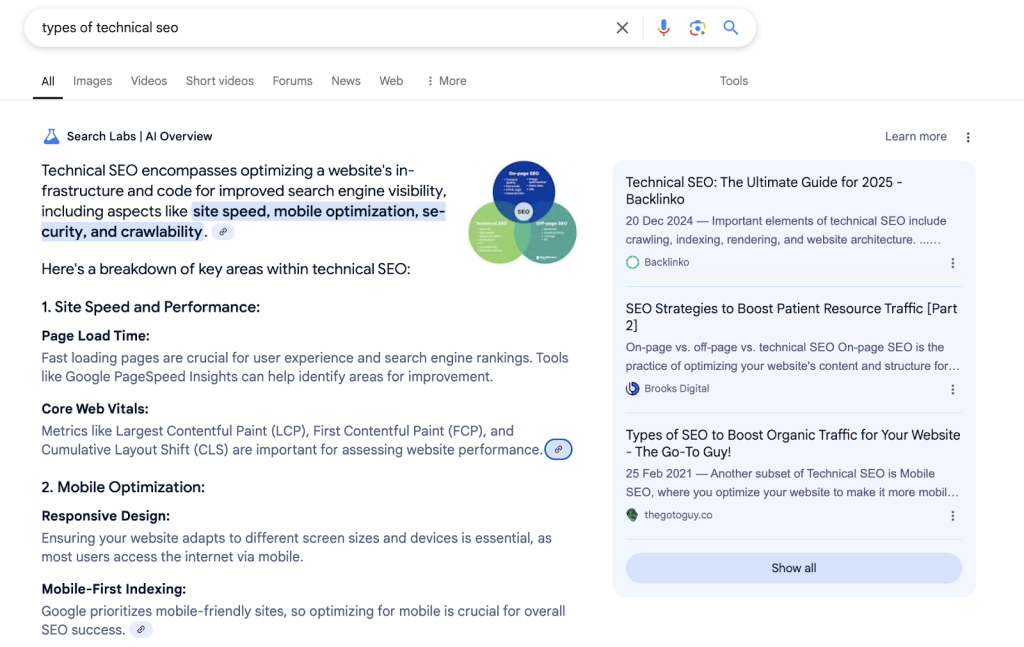
For small to mid-sized businesses, true SEO success today extends far beyond technical audits and keyword stuffing. It’s fundamentally about how users experience your website. This article cuts through the noise to show you where to focus your limited resources for maximum impact, ensuring your site not only ranks but also converts.
You’ll gain actionable insights into prioritizing UX improvements that directly influence search engine visibility and user satisfaction, helping you make smart decisions about what to tackle first and what to strategically delay.
Why UX is Non-Negotiable for SEO Today
Search engines, particularly Google, have evolved to prioritize user satisfaction. While technical SEO provides the foundation, it’s the actual user experience that dictates long-term ranking potential. Core Web Vitals are a baseline, but they don’t tell the whole story. What truly matters are signals like user engagement, task completion, and whether visitors find value. Neglecting these means you’re leaving significant SEO gains on the table, regardless of how technically optimized your site is.
Prioritizing User Journey Mapping
Understanding how users navigate and interact with your site is critical. For SMBs, this isn’t about complex, multi-layered diagrams but identifying the most common paths users take and where they encounter friction. Start by outlining 2-3 primary user personas and mapping their journey from discovery to conversion (e.g., finding a product, adding to cart, checkout). This exercise quickly highlights critical pages and processes that need immediate attention.
What to deprioritize here: Avoid getting bogged down in creating exhaustive user journey maps for every conceivable scenario or developing dozens of detailed personas. Your resources are better spent identifying and fixing the most significant bottlenecks on your core conversion paths rather than perfecting a theoretical map of every possible interaction.
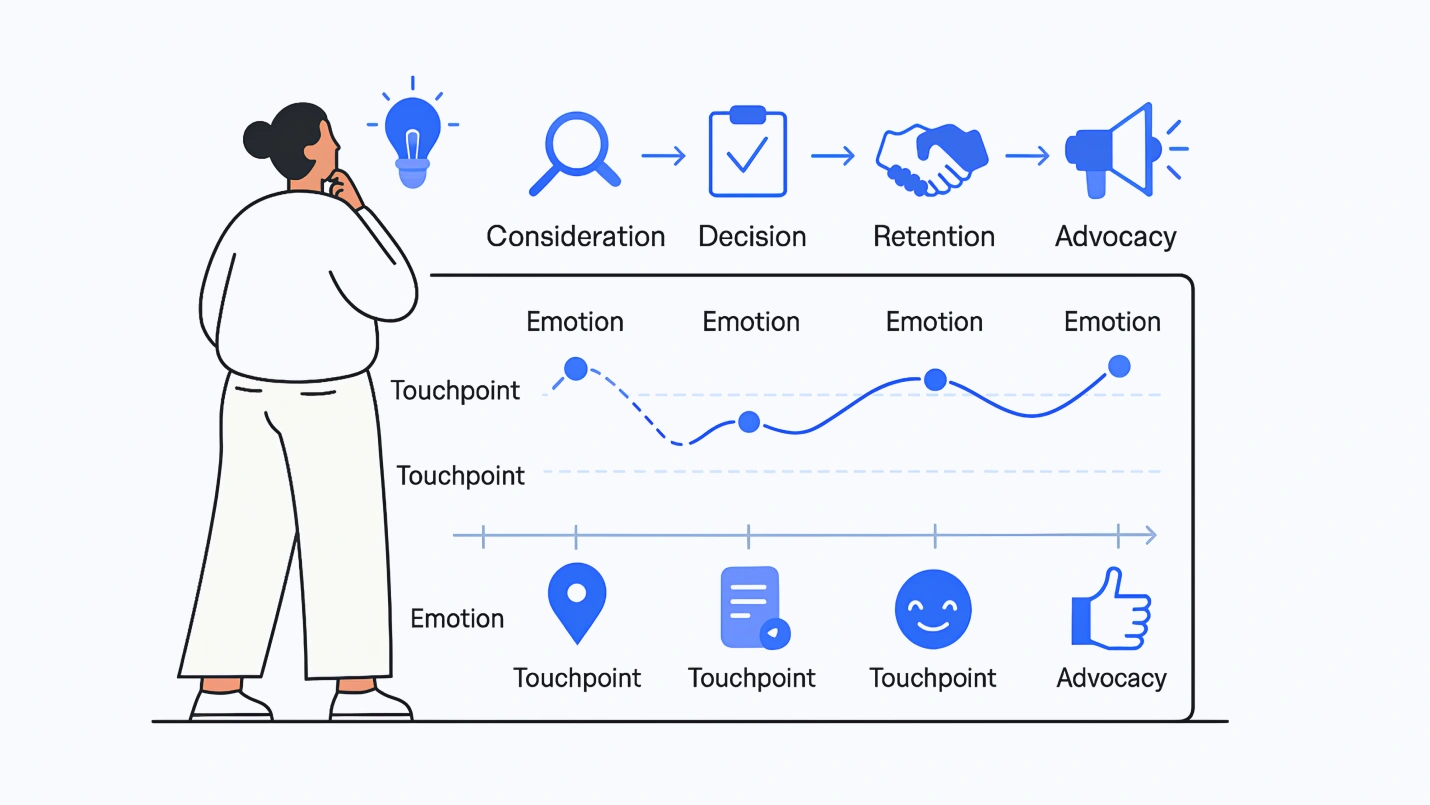
While the goal is simplification, a common pitfall is mapping the *ideal* user journey rather than the *actual* one. Teams often rely on intuition or internal assumptions about how users should navigate, rather than validating these paths with real behavioral data. The hidden cost here isn’t just wasted effort; it’s the misdirection of resources towards optimizing paths that few users truly take, or fixing perceived friction points that aren’t the primary blockers. This leads to a cycle of iterative changes that yield minimal impact, fostering a sense of stagnation and frustration within the team.
The downstream consequence of an unvalidated or inaccurate initial map is significant. Every subsequent optimization effort—whether it’s an A/B test, a content revision, or a UI tweak—is built upon this potentially shaky foundation. If the core understanding of user flow is flawed, these efforts will consistently miss the mark, delaying the discovery and resolution of high-impact issues. This can erode confidence in the entire optimization process, making it harder to secure buy-in for future strategic initiatives, even when they are well-conceived.
Furthermore, focusing solely on *where* users encounter friction often overlooks the more critical question of *why*. A drop-off point is a symptom, not the root cause. Without qualitative insights—gleaned from customer support interactions, user surveys, or direct feedback—teams risk implementing superficial fixes. For instance, simplifying a form field might not solve the underlying issue if users are abandoning due to unexpected shipping costs revealed late in the checkout process. Addressing the “what” without understanding the “why” often results in a series of low-leverage adjustments that consume precious time and budget without moving the needle on core business objectives.
Content Experience: Clarity, Value, and Engagement
Content that ranks well doesn’t just contain keywords; it genuinely serves user intent. Focus on creating content that is clear, concise, and provides real value. This means using simple language, breaking up text with short paragraphs and clear headings, and incorporating visuals where they aid understanding. Ensure your calls to action are unambiguous and that users can easily find their next step. Effective internal linking also guides users to related content, improving engagement and discovery.
While the emphasis on clarity and conciseness is critical, it’s easy to mistake superficial readability for genuine value. Content can be grammatically simple and visually broken up, yet still fail to deliver substantive insight. The real challenge isn’t just making words easy to read, but ensuring those words convey a unique perspective or solve a specific problem in a way that resonates. When content is merely ‘easy’ without being ‘useful,’ it might get an initial click, but users quickly disengage, leading to higher bounce rates and shorter session durations—a clear signal to search engines that the content didn’t truly satisfy intent, despite its apparent clarity.
This often stems from a team’s internal pressure to simplify everything for a broad audience, sometimes at the expense of depth or a strong point of view. The desire to avoid jargon can inadvertently strip away the very expertise that makes content valuable. The result is generic content that might be ‘clear’ but lacks the conviction or specific actionable advice that practitioners truly seek. It’s a trade-off: aim for universal understanding, but don’t dilute your unique expertise to the point of becoming indistinguishable from competitors. The frustration for teams comes when they’ve followed all the ‘best practices’ for readability, yet their content still underperforms because it lacks a compelling core.
Furthermore, while effective internal linking is non-negotiable for guiding users and distributing authority, its ongoing maintenance is frequently overlooked. It’s not a ‘set it and forget it’ task. As your content library grows and evolves—articles are updated, new topics emerge, or old ones are retired—the relevance and accuracy of existing internal links can quickly degrade. Broken links, or links pointing to outdated or less relevant content, create a frustrating user experience and dilute the SEO benefits. Without a periodic audit and strategic update process, what was once an asset becomes a liability, silently eroding your site’s overall content experience and search performance over time.
Site Navigation and Information Architecture
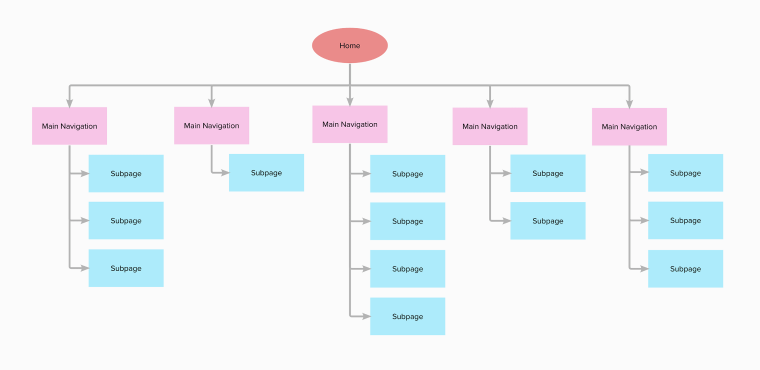
An intuitive navigation system is paramount. Users should never have to guess where to find information. Aim for a flat hierarchy where logical, clear labeling, and consistent menu structures. For sites with more content, a robust search functionality becomes essential. While a complete site overhaul might be tempting, prioritize improving existing navigation elements that analytics or user feedback indicate are causing the most frustration. Small, targeted improvements to menu labels or the primary navigation bar can significantly reduce bounce rates and improve user flow.
Mobile Experience: More Than Just Responsiveness
Today, mobile experience goes beyond merely having a responsive design. It’s about ensuring ease of use on smaller screens. This includes appropriately sized tap targets, easily fillable form fields, and content that is legible without excessive zooming or scrolling. Page speed on mobile networks is also a critical factor. When developing new features or pages, always adopt a mobile-first design philosophy to ensure optimal performance and usability for the majority of your audience.
Actionable Insights from Analytics
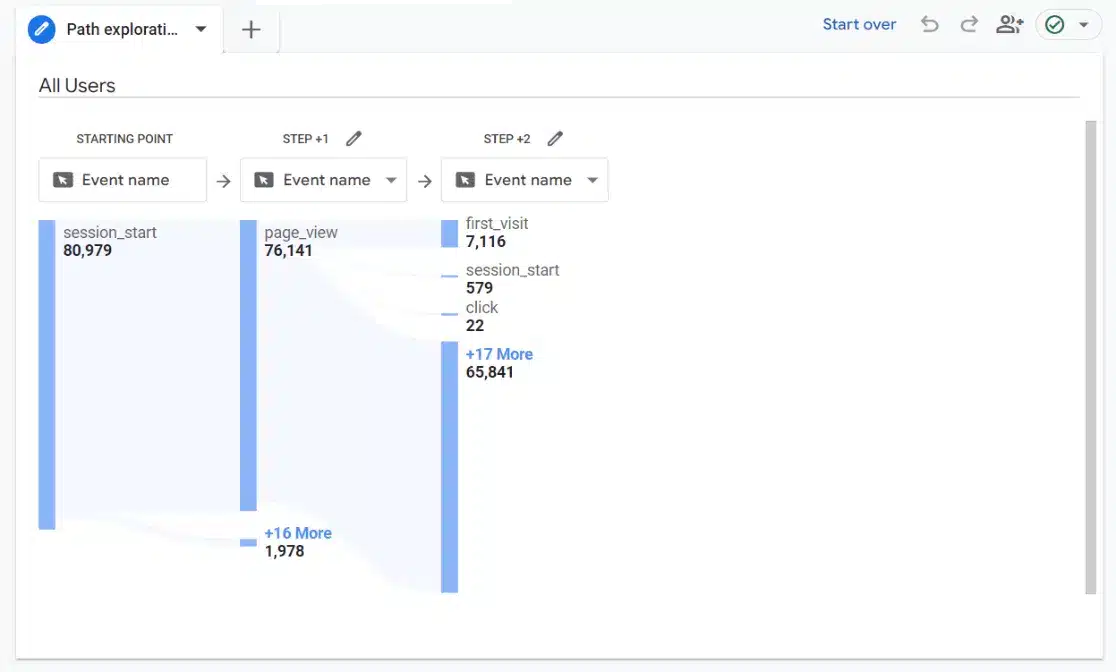
Leverage your analytics platform, such as Google Analytics 4 (GA4), to gain insights into user behavior. Pay close attention to engagement rates, time on page, conversion funnels, and exit pages. These metrics can pinpoint areas where users are struggling or abandoning their journey. Supplement quantitative data with qualitative tools like heatmaps and session recordings (e.g., Microsoft Clarity) to visually understand user interactions. The key is not just collecting data, but actively using it to identify patterns of frustration or abandonment and then addressing those issues directly.
What to Focus On First (and What to Delay)
With limited resources, strategic prioritization is key:
- Prioritize: Core Conversion Paths. Identify the 2-3 most critical user journeys on your site (e.g., product discovery to purchase, service inquiry form completion). Optimize these first, as they directly impact revenue.
- Prioritize: High-Traffic Pages with Poor Engagement. Use analytics to find pages that attract many visitors but have high exit rates or low engagement. Fixing these offers a high return on investment.
- Prioritize: Mobile Usability Issues. Address any glaring problems identified by Google Search Console’s mobile usability report or direct user feedback.
What to delay: Avoid spending significant time on minor aesthetic tweaks that don’t directly impact usability or conversion. Also, deprioritize comprehensive A/B testing on low-impact pages; focus your testing efforts where the potential return is highest. Finally, resist the urge to overhaul your entire site architecture at once. Instead, tackle it incrementally, focusing on the most problematic sections first. Your limited resources are best allocated to high-leverage improvements that directly address user friction on critical paths, leading to faster SEO and conversion gains.
Sustaining User-Centric SEO
Enhancing user experience for SEO is not a one-time project; it’s an ongoing commitment. Regularly review your analytics, actively solicit user feedback, and stay informed about evolving user expectations. For small to mid-sized businesses, a strategy of continuous, iterative improvements is far more sustainable and effective than attempting large, infrequent overhauls. By consistently putting your users first, you build a foundation for lasting SEO success and business growth.


Leave a Comment