

For small to mid-sized businesses, technical SEO isn’t about chasing every minor optimization; it’s about ensuring your website is fundamentally healthy and accessible to search engines and users. This guide cuts through the noise, focusing on the core technical elements that deliver real-world impact on organic rankings and user experience, even with limited resources.
You’ll learn what technical SEO tasks to prioritize for immediate gains, what can be delayed, and what to avoid entirely. Our aim is to equip you with a pragmatic framework to make informed decisions, ensuring your efforts translate into tangible business growth without overextending your team.
The Non-Negotiable Pillars of Technical SEO for SMBs
Before diving into advanced tactics, ensure your foundation is solid. For lean teams, these three pillars are where your initial technical SEO efforts should concentrate:
- Crawlability: Can search engines find and read all your important content? If Googlebot can’t crawl a page, it can’t index it, and it certainly can’t rank it.
- Indexability: Once crawled, is your content eligible to appear in search results? This involves telling search engines which pages are valuable and which aren’t.
- Site Performance (Speed & Core Web Vitals): Does your site load quickly and offer a smooth user experience? Slow sites frustrate users and can negatively impact rankings, especially with Google’s continued emphasis on page experience.
Address these first. Without them, any content or link building efforts will yield diminished returns.
Prioritizing Your Technical SEO Efforts: What to Tackle First
With limited time and budget, you need a clear roadmap. Start here:
1. Google Search Console Setup & Monitoring
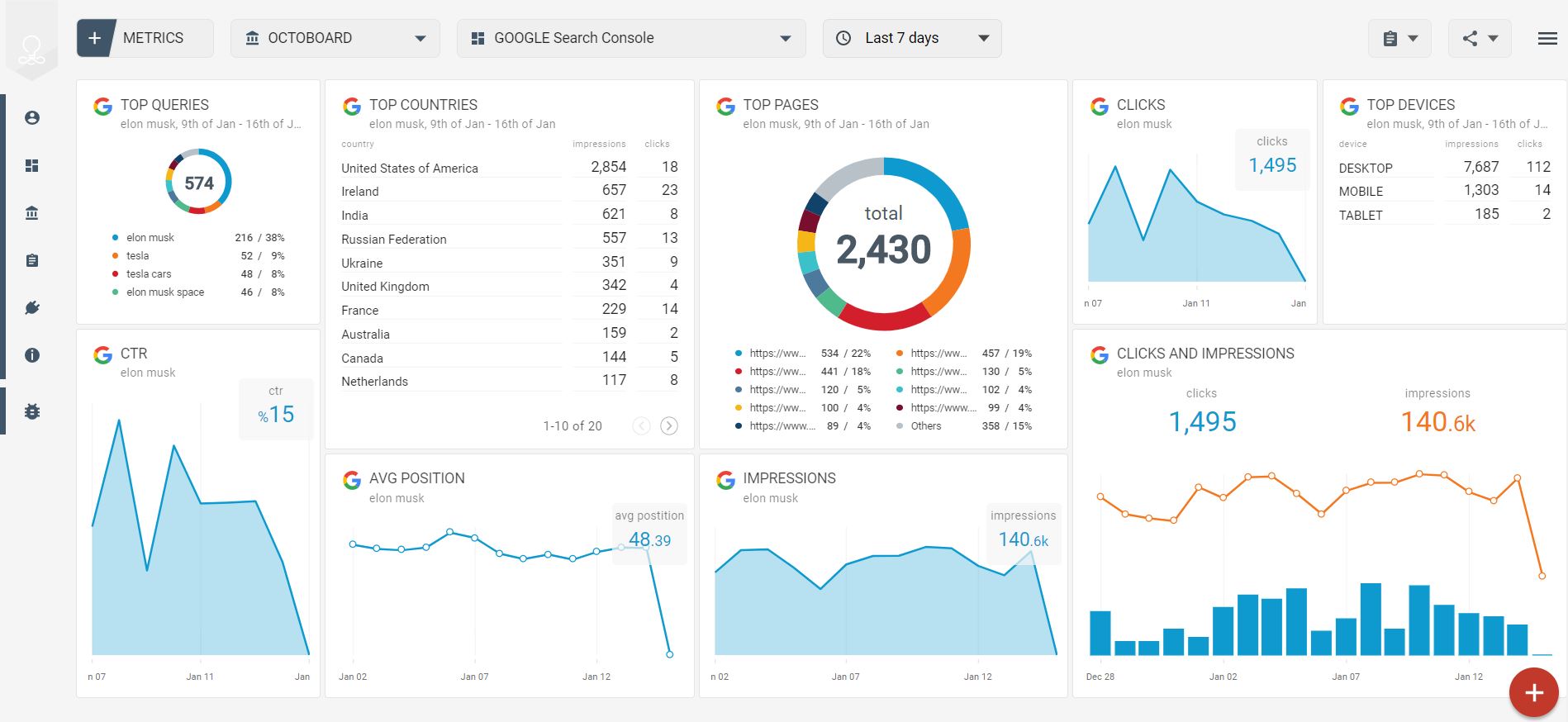
This is your primary diagnostic tool. Set it up immediately if you haven’t already. Regularly check the ‘Indexing’ reports for errors, ‘Core Web Vitals’ for performance issues, and ‘Sitemaps’ to ensure your key pages are submitted. GSC provides direct feedback from Google about your site’s health.
2. Mobile-Friendliness
Given that a significant portion of web traffic now comes from mobile devices, and Google’s mobile-first indexing, your site must be mobile-friendly. Use Google’s Mobile-Friendly Test tool or check the ‘Mobile Usability’ report in GSC. Prioritize responsive design over separate mobile sites to simplify management.
3. HTTPS Implementation
If your site isn’t already secure, migrate to HTTPS. It’s a ranking factor and a fundamental security requirement for user trust. Most hosting providers offer free SSL certificates (e.g., Let’s Encrypt), making this a straightforward, high-impact task.
4. XML Sitemaps & Robots.txt Optimization
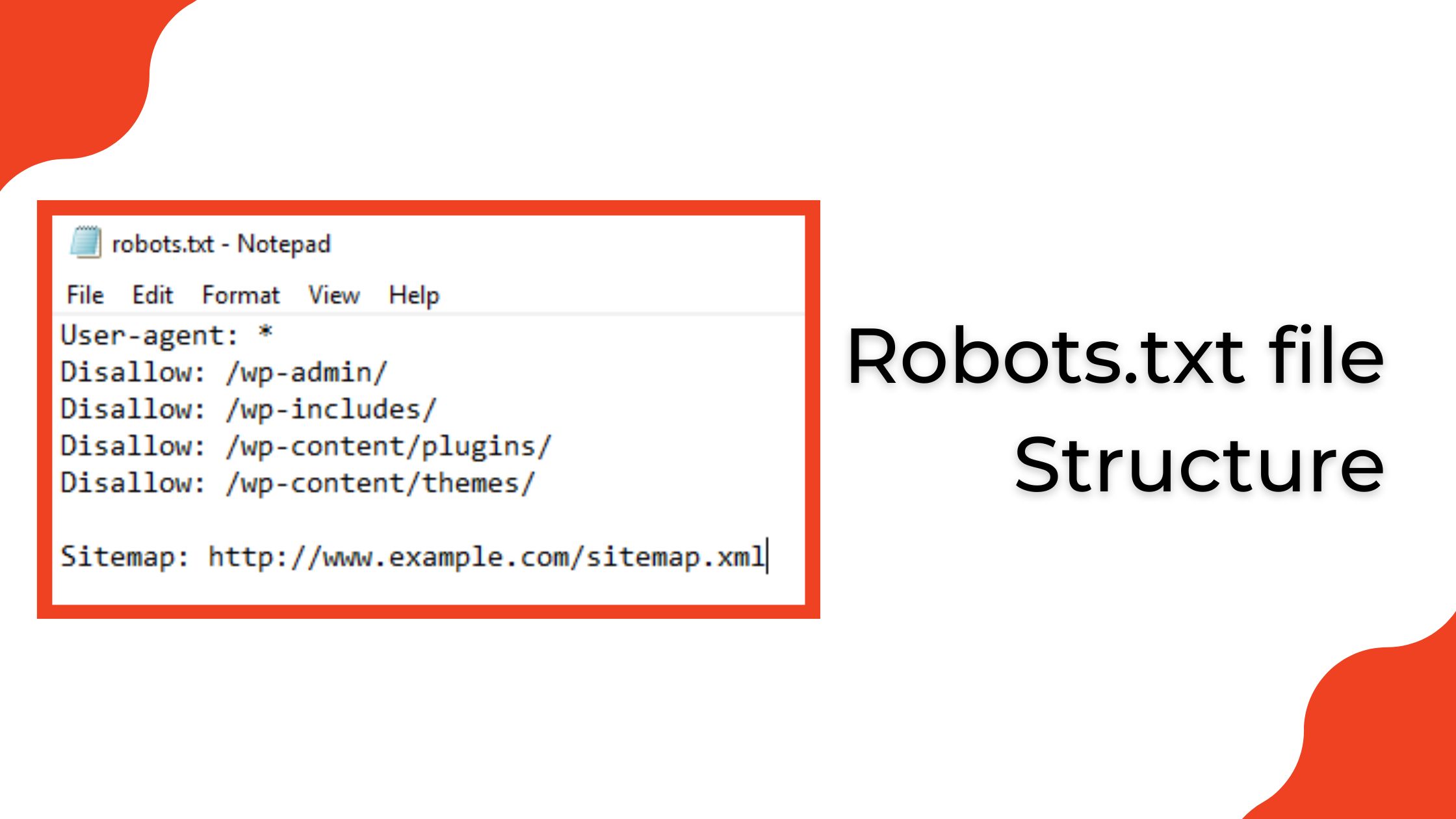
Ensure your XML sitemap accurately lists all pages you want indexed and is submitted via GSC. Your robots.txt file should block crawlers from accessing non-essential areas (like admin pages or duplicate content) but *never* block pages you want indexed. A common mistake is accidentally disallowing important content.
5. Basic Site Speed Improvements
Focus on the biggest wins: image optimization (compress and serve in modern formats like WebP), browser caching, and minimizing server response time. Tools like Google PageSpeed Insights will highlight critical issues. Don’t chase a perfect 100 score; aim for significant improvements in Core Web Vitals metrics like Largest Contentful Paint (LCP) and Cumulative Layout Shift (CLS).
6. Canonical Tags for Duplicate Content
If you have pages with very similar content (e.g., product pages with slight variations, or content accessible via multiple URLs), use canonical tags to tell search engines which version is the authoritative one. This prevents duplicate content issues and consolidates ranking signals. canonical tag best practices
It’s easy to treat the initial setup of Google Search Console, sitemaps, and robots.txt as a one-and-done task. The reality is that these are living components of your site’s technical health. Neglecting regular monitoring of GSC reports—especially ‘Indexing’ and ‘Crawl Stats’—is a common oversight. What seems like a minor crawl error today can compound into significant de-indexing or ranking drops over weeks or months, often unnoticed until organic traffic takes a noticeable hit. This reactive firefighting consumes far more resources than proactive, routine checks.
Similarly, while basic site speed improvements offer clear wins, it’s crucial to understand the point of diminishing returns. The pursuit of a perfect PageSpeed Insights score can quickly become a resource sink for small teams. Beyond addressing the most critical Core Web Vitals issues, spending weeks optimizing for marginal gains often diverts developer time from more impactful SEO tasks or even core product development. The non-obvious failure mode here isn’t just wasted effort, but the opportunity cost of neglecting other areas that could yield greater returns for your business.
Finally, canonical tags, while powerful for managing duplicate content, are not a ‘set and forget’ solution. Their effectiveness hinges on accurate, ongoing implementation. It’s easy to overlook how dynamic content, new product variations, or even changes in URL structure can inadvertently break existing canonicals or introduce new duplicate content issues. Misconfigured canonicals can silently de-index important pages or dilute ranking signals, creating a frustrating and difficult-to-diagnose problem that only surfaces after a significant drop in visibility.
What to Deprioritize (and Why)
For small to mid-sized teams, not every technical SEO recommendation is worth the effort, especially when resources are tight. Here’s what you should generally deprioritize:
Obsessive pursuit of perfect Core Web Vitals scores: While important, chasing a 100/100 score on PageSpeed Insights often requires significant development resources for marginal gains. Focus on getting out of the ‘red’ and into the ‘green’ for your key pages. Beyond that, the ROI diminishes rapidly for most SMBs. Your time is better spent on content quality or link building once basic performance is solid. Similarly, don’t get bogged down in fixing every single ‘minor’ issue reported by third-party audit tools if it doesn’t directly impact crawlability, indexability, or user experience in a significant way. Many warnings are theoretical and won’t move the needle for your business.
The deeper issue with obsessively chasing perfect scores or clearing every minor audit warning is the significant opportunity cost. Every hour a developer spends optimizing for a theoretical 98 instead of a solid 90 is an hour not spent on a new product feature, a crucial bug fix, or improving a conversion funnel. For small teams, this isn’t just a theoretical trade-off; it directly impacts the business’s ability to innovate, respond to customer needs, or improve core functionality. The delayed consequences can be a slower product roadmap or a backlog of critical user-facing issues that never get addressed, ultimately impacting customer satisfaction and revenue far more than a few milliseconds of load time.
Another common pitfall is allowing third-party audit tools to dictate your development priorities without critical judgment. These tools are valuable diagnostics, but they are not strategic roadmaps. Teams can fall into a reactive cycle, constantly addressing low-impact warnings simply because they appear on a report. This creates internal friction: marketing teams, seeing a ‘red’ item, pressure development, who then divert resources from higher-impact work. This decision pressure often leads to a focus on clearing a checklist rather than understanding the actual business impact or user experience implications of each recommendation.
Furthermore, attempting to fix every minor technical ‘issue’ can introduce new, more significant problems. Complex changes to site architecture, JavaScript rendering, or server configurations to address a theoretical SEO warning carry inherent risks. Without robust testing and quality assurance, which small teams often lack, these ‘fixes’ can inadvertently break critical site functionality, introduce new bugs, or create accessibility issues. The cost of identifying, debugging, and rolling back such unintended consequences often far outweighs any marginal SEO benefit, turning a minor warning into a major operational headache.
Essential Tools for Lean Technical SEO
You don’t need an arsenal of expensive tools. Start with these:
- Google Search Console: Free, indispensable, and direct from Google.
- Google PageSpeed Insights: Free, for quick performance checks.
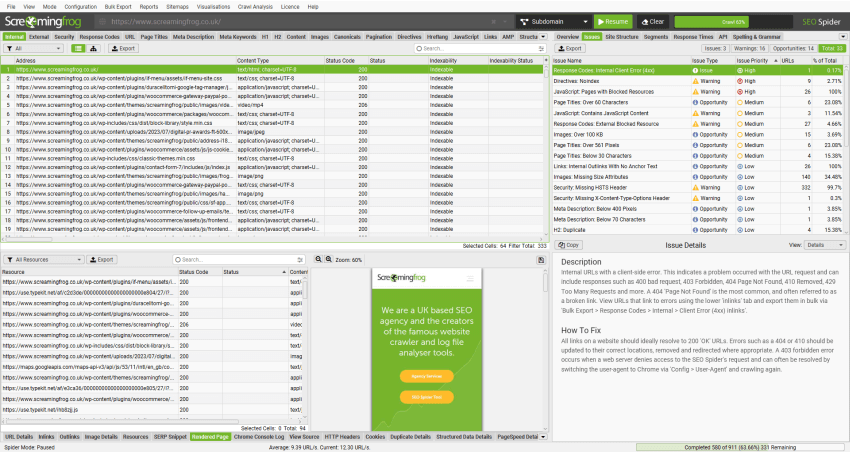
- Screaming Frog SEO Spider (Free Version): Excellent for crawling up to 500 URLs to identify broken links, redirects, missing titles, and other on-page issues.

Screaming Frog audit report example - Ahrefs or SEMrush (if budget allows): For more in-depth site audits, competitive analysis, and backlink analysis. Start with their free trials to see which fits your needs best.
Maintaining Technical Health: An Ongoing Process
Technical SEO isn’t a one-time fix. It requires ongoing vigilance:
- Monthly GSC Checks: Dedicate time each month to review GSC reports for new errors, indexing issues, or performance drops.
- Quarterly Site Audits: Run a crawl with Screaming Frog or your chosen tool to catch broken links, redirect chains, and other issues that accumulate over time.
- Monitor Performance: Keep an eye on your Core Web Vitals and overall site speed, especially after website updates or new content launches.
By focusing on these practical, high-impact technical SEO tasks, small to mid-sized businesses can build a robust foundation for organic growth without getting lost in the complexities of every possible optimization. Prioritize what truly matters for search engines and users, and you’ll see results.



Leave a Comment