

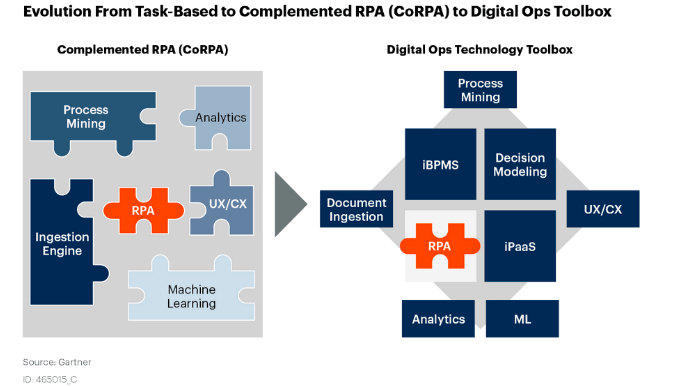
For small to mid-sized businesses navigating tight budgets and lean teams, the idea of “hyper-automation” might sound like an enterprise-only luxury. However, when approached pragmatically, it’s a powerful lever for profitable scaling. This article cuts through the hype to show you where to focus your automation efforts, what tools deliver real value, and critically, what to deprioritize to ensure your limited resources drive maximum impact.
You’ll gain a clear framework for making smart decisions that streamline your digital operations and free up your team for higher-value work.
What Hyper-Automation Means for SMBs (and What It Doesn’t)
Forget the vision of fully autonomous factories or AI overlords. For SMBs, hyper-automation is about strategically combining process automation tools, often including Robotic Process Automation (RPA) and AI, to orchestrate workflows across your digital ecosystem. It’s not about replacing humans entirely, but about offloading repetitive, rule-based tasks so your team can focus on strategic thinking, customer relationships, and creative problem-solving. It means automating the handoffs between systems, the data entry, the routine customer queries, and the initial qualification steps that consume valuable time.
What it isn’t is a magic bullet for broken processes. Automating chaos only amplifies it. Before you even think about tools, you need a clear understanding of your existing workflows.
Prioritizing Automation: Where to Start for Quick Wins
With limited resources, choosing the right starting point is crucial. Focus on processes that are:
- High Volume & Repetitive: Tasks performed frequently, consuming significant collective time. Think lead data entry, routine customer support responses, or recurring report generation.
- Rule-Based & Predictable: Processes with clear, consistent steps and decision logic. If a human can write down the exact steps, it’s a good candidate.
- Error-Prone: Manual tasks where human error frequently leads to rework or customer dissatisfaction.
- High Impact: Automating these tasks should directly contribute to revenue generation, cost reduction, or significant time savings for key personnel.
For instance, automating lead qualification by integrating your CRM with a web form and an email sequence tool (like HubSpot or Mailchimp) can free up sales reps to focus on warm leads. Similarly, setting up automated inventory updates between your e-commerce platform (e.g., Shopify) and your accounting software eliminates manual reconciliation errors. These are practical, tangible gains.
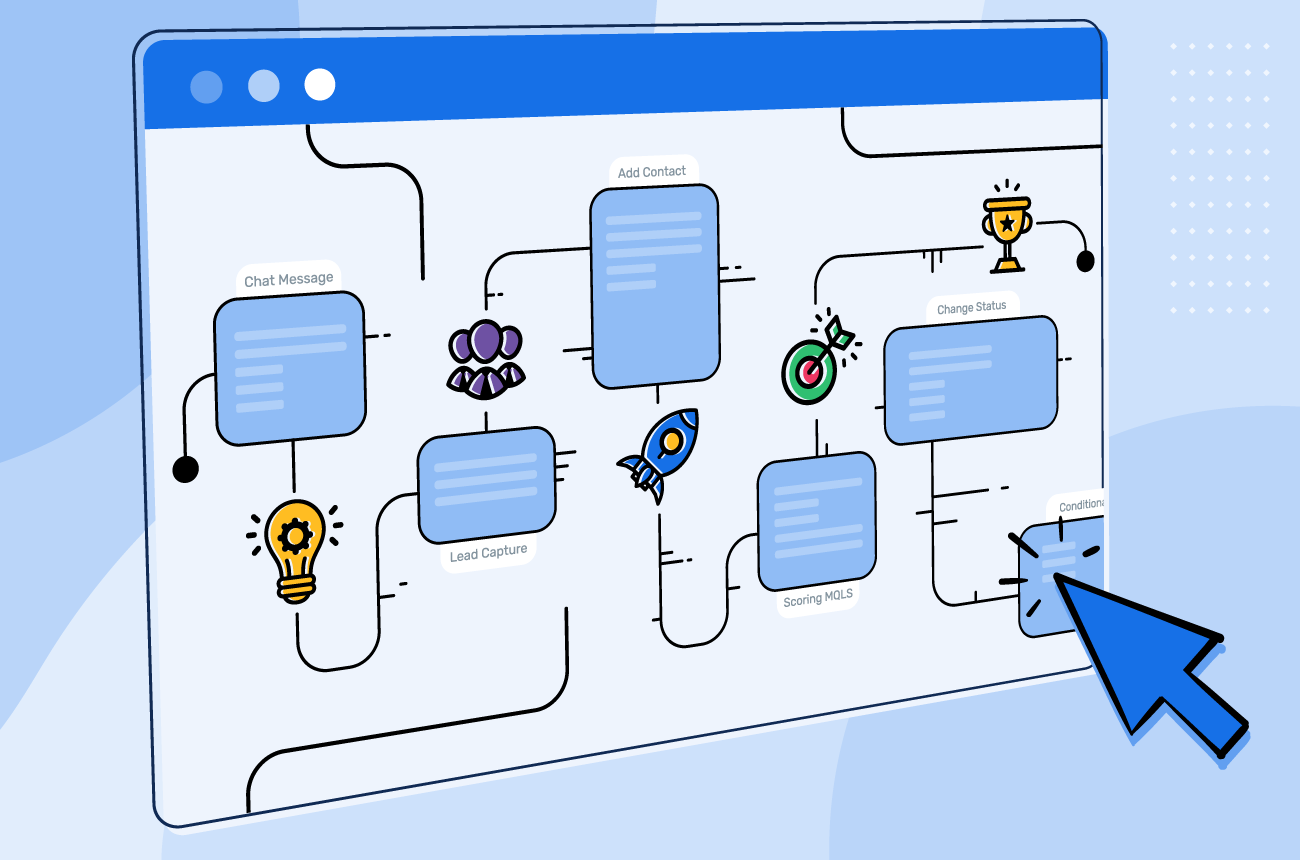
While the immediate gains from automation can be compelling, it’s critical to look beyond the initial setup. Automation isn’t a “set it and forget it” solution; it introduces a new layer of operational overhead. These systems require ongoing monitoring, maintenance, and occasional troubleshooting. When a third-party API changes, or a business rule shifts, the automation can break, demanding immediate attention. This often falls on existing team members who now need to develop a new skillset or dedicate unbudgeted time, effectively trading one manual task for another, more technical one. This is a hidden cost that can quickly erode perceived efficiency gains.
A common, yet often overlooked, failure mode is automating an inefficient or poorly defined process. All this achieves is accelerating the wrong outcome. Automation doesn’t fix underlying process flaws; it merely scales them. Furthermore, the effectiveness of any automated workflow hinges entirely on the quality of the data it processes. If your lead data is inconsistent or your inventory counts are frequently off, automating the flow of that bad data only amplifies the errors, leading to more significant downstream issues and a loss of trust in the system itself. This ‘garbage in, garbage out’ principle is particularly unforgiving in automated environments.
Finally, there’s a practical temptation to automate everything once initial wins are realized. However, not every task benefits from automation. Highly nuanced interactions, complex problem-solving, or tasks requiring empathy and creative judgment are often better left to human hands. Attempting to force automation onto these can lead to rigid, impersonal customer experiences or over-engineered solutions that create more frustration than efficiency. Teams must exercise judgment to avoid automating for automation’s sake, especially when the process is infrequent or inherently requires frequent human intervention, recognizing the point where the effort to automate outweighs the actual gain.
The Critical Role of Process Mapping Before Automating
This is where many SMBs falter. The allure of a new tool can be strong, but without a clear map of your current process, you’re building on sand. Before you even look at a single automation platform, document your existing workflow step-by-step. Identify every input, output, decision point, and handoff. Pinpoint bottlenecks, redundancies, and unnecessary steps. This exercise often reveals opportunities for process improvement even before automation is introduced.
Judgment Call: Do not skip this step. It’s tempting to jump straight to solution hunting, but a poorly defined process will lead to a poorly implemented automation, wasting time and money. A simple flowchart or even bullet points can suffice; it doesn’t need to be a formal Six Sigma project. The goal is clarity.
What’s often overlooked is that automating a flawed process doesn’t fix the flaws; it merely accelerates them. You end up with a faster, more rigid version of an inefficient system. This isn’t just a waste of the automation tool’s potential; it creates a downstream effect where the ‘automated’ bottlenecks become harder to diagnose and even more costly to untangle later. Teams then spend more time managing the automation than the process itself, leading to frustration and a perception that ‘automation doesn’t work’ when the root cause was a lack of upfront clarity.
Another common pitfall is mapping the theoretical ‘should-be’ process rather than the ‘as-is’ reality. In practice, teams often have informal workarounds, unwritten rules, or rely on human judgment for exceptions. When automation is built on a sanitized, ideal process, it inevitably clashes with these real-world nuances. This friction forces teams to either create new, manual workarounds to bypass the rigid automation, or constantly intervene, leading to a system that feels like a straitjacket rather than a helper. The initial time saved is quickly eroded by the ongoing effort to manage these discrepancies.
While thoroughness is key, don’t fall into the trap of analysis paralysis trying to map every single edge case or micro-decision point before you start. For SMBs, the goal is practical improvement, not academic perfection. Prioritize mapping the core 80% of your process flow first – the main path, key decision points, and critical handoffs. You can iterate and refine for the less frequent exceptions once the primary automation is stable. Trying to account for every ‘what if’ upfront can delay implementation indefinitely and burn out your team before any value is realized. Get the main arteries clear, then address the capillaries.
Practical Tools for SMB Hyper-Automation
You don’t need enterprise-grade software to start. Many accessible tools offer powerful automation capabilities:
- Integration Platforms (iPaaS): Tools like Zapier, Make (formerly Integromat), and Workato allow you to connect different applications and automate workflows without coding. They are excellent for linking CRMs, marketing platforms, project management tools, and more.
- CRM & Marketing Automation Platforms: Modern CRMs (e.g., HubSpot, Salesforce Essentials) and marketing automation tools often have robust built-in automation for lead nurturing, customer segmentation, and task assignment. marketing automation features
- AI-Powered Chatbots: For customer support, chatbots can handle common queries, qualify leads, and direct users to relevant resources, significantly reducing the load on human agents.
- RPA (Robotic Process Automation) for Desktop Tasks: For highly repetitive, rule-based tasks performed on a desktop application (e.g., data extraction from PDFs, specific data entry into legacy systems), simpler RPA tools can be effective. However, these often require more technical setup and maintenance.
What to Deprioritize or Skip Today, and Why
Not every process is ripe for automation, especially with limited resources. Here’s what to hold off on:
- Highly Variable Processes Requiring Human Judgment: If a task involves frequent exceptions, subjective decision-making, or complex problem-solving that can’t be codified into clear rules, automating it will likely lead to more errors, frustrated customers, and constant manual overrides. The ROI simply isn’t there, and it diverts resources from more impactful projects.
- Infrequently Performed Tasks: Automating a task that happens once a month or quarter, especially if it’s not time-critical, rarely justifies the setup and maintenance cost. Your team’s time is better spent on high-volume, high-impact areas.
- Processes You Haven’t Mapped or Optimized Yet: As mentioned, automating a broken process makes it a faster, more efficient broken process. Prioritize process improvement first.
- Overly Complex, Bespoke RPA Implementations: For most SMBs, investing in custom-built, high-end RPA solutions for niche tasks is an overreach. The cost, complexity, and ongoing maintenance often outweigh the benefits. Stick to simpler, more integrated solutions first.
Focus on incremental gains that compound over time. Don’t chase the “shiny new object” of every AI or automation trend without a clear, measurable business case. Your goal is profitable scaling, not just adopting technology for its own sake.
Measuring Success and Iterating
Automation isn’t a one-time setup; it’s an ongoing optimization process. Define clear Key Performance Indicators (KPIs) before you start. Are you aiming to reduce processing time by thirty percent? Decrease data entry errors by fifty percent? Improve lead response time by an hour? Without metrics, you can’t assess effectiveness.
Regularly review your automated workflows. Are they still performing as expected? Have underlying systems changed? Are there new bottlenecks? Be prepared to tweak, refine, or even rebuild automations as your business evolves. This iterative approach ensures your automation efforts continue to deliver value and adapt to real-world conditions.
The Human Element: Empowering Your Team
A common misconception is that automation replaces jobs. For SMBs, the reality is that it frees up your team from mundane, repetitive tasks, allowing them to focus on higher-value activities that require human creativity, empathy, and strategic thinking. This can lead to increased job satisfaction, better employee retention, and a more engaged workforce. Invest in training your team on how to work alongside these new automated systems, how to monitor them, and how to identify new automation opportunities. Frame it as an augmentation, not a replacement.
Building Your Automation Roadmap
Start small, prove the value, and then expand. Your automation journey should be a strategic roadmap, not a series of isolated projects. Once you’ve successfully automated a few key processes, look for opportunities to connect these automations, creating more comprehensive, end-to-end workflows. Think about how automation can support your growth initiatives, from scaling customer onboarding to personalizing marketing campaigns at scale. A well-planned automation strategy becomes a competitive advantage, allowing your lean team to operate with the efficiency of a much larger organization. optimizing marketing workflows


Leave a Comment